
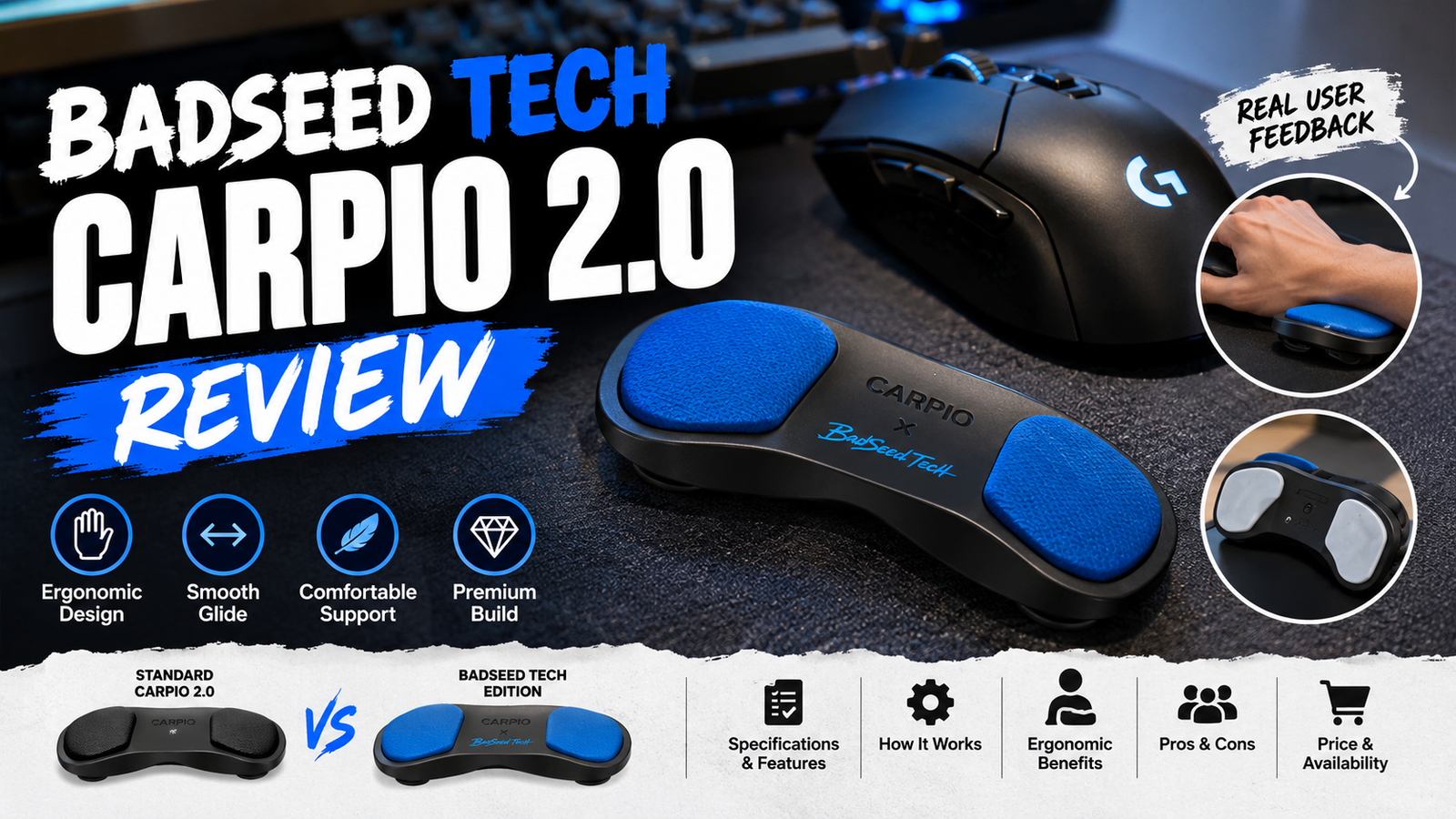
| Quick answer The BadSeed Tech Carpio is a creator-collaboration edition of DeltaHub’s Carpio 2.0, a compact wrist/palm support designed to glide with the hand instead of staying fixed on the desk. The BadSeed edition keeps the core Carpio 2.0 concept while adding exclusive blue pads and collaboration styling. It may appeal to people who spend long hours using a mouse, but comfort is personal, the adjustment period can be real, and it should not be treated as a medical device or a guaranteed fix for wrist pain. |
This article is a research-based editorial review, not a claim of personal hands-on testing. Product specifications and current commercial details were checked against DeltaHub’s official pages. Ergonomic context was cross-checked against guidance from the U.S. Occupational Safety and Health Administration (OSHA) and Mayo Clinic. Community experience was sampled from Reddit discussions, while video references were used to understand setup, movement and real-world use. Where the manufacturer makes an ergonomic claim, that claim is clearly separated from independent guidance and user anecdotes.
Primary sources used: DeltaHub official BadSeed Tech Edition page | Google guidance for high-quality reviews | OSHA mouse/workstation guidance | Mayo Clinic carpal tunnel guidance
What Is the BadSeed Tech Carpio?
The BadSeed Tech Carpio is not a completely different wrist-rest platform. It is a special creator-collaboration edition of DeltaHub’s Carpio 2.0. The official product page describes it as a black Carpio 2.0 supplied with exclusive BadSeed Tech replaceable pads. Buyers can choose left-handed or right-handed versions, and the product is offered in small and large sizes. The visual identity is darker and more performance-oriented than the standard color options, with bright blue pads that make the collaboration immediately recognizable.
According to the official DeltaHub product listing, the current edition uses the same Carpio 2.0 platform and includes both the black base and the BadSeed Tech special-edition pads. That distinction matters because searchers sometimes assume “BadSeed Tech Carpio” means a separate invention. In practical terms, the special edition is best understood as a collaboration version of an existing ergonomic accessory rather than an entirely new category of hardware.
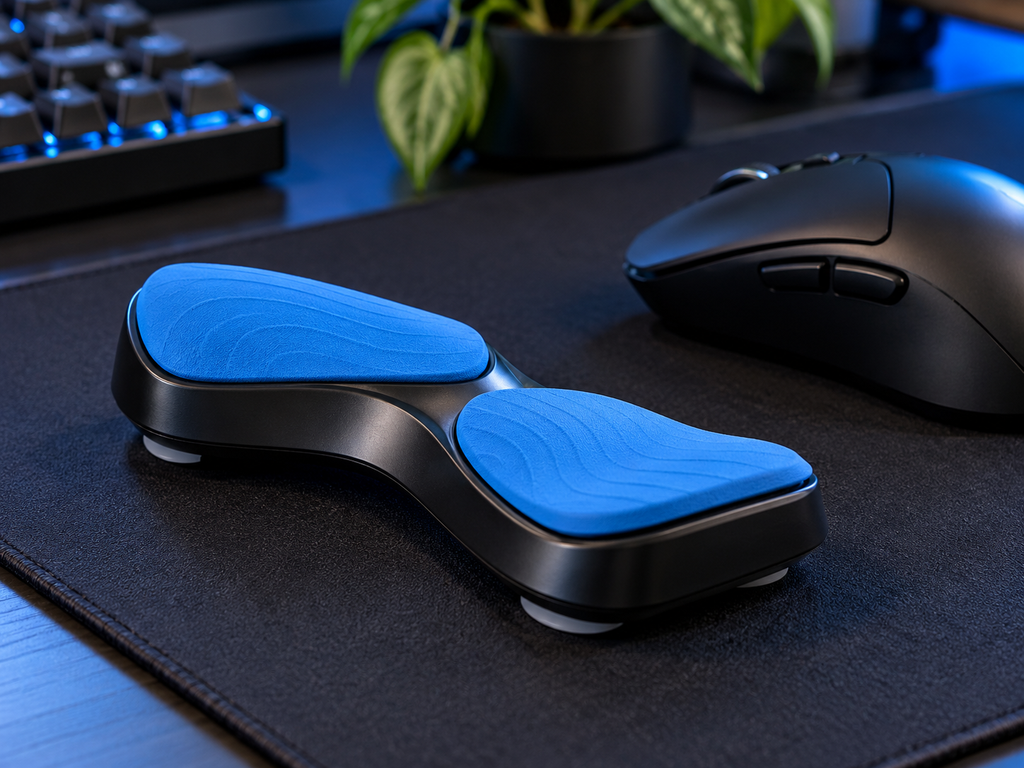
Editorial illustration: the Carpio concept uses a compact base with two palm-support pads and low-friction glide points.
BadSeed Tech Carpio Specifications at a Glance
| Specification | Research finding |
| Product | Carpio 2.0 – BadSeed Tech Edition |
| Brand / maker | DeltaHub |
| Collaboration | BadSeed Tech creator collaboration |
| Core design | Moving wrist/palm support that glides with mouse-hand movement |
| Main materials | Plastic base, soft-touch silicone pads and PTFE/Teflon gliders, according to DeltaHub |
| Hand options | Left or right; the product page also shows a paired/both option |
| Sizes | Small and Large |
| Small dimensions | 8.4 cm x 3.6 cm (3.3 x 1.4 in), official listing |
| Large dimensions | 9.6 cm x 4.0 cm (3.8 x 1.6 in), official listing |
| Special-edition detail | Black Carpio 2.0 plus exclusive BadSeed Tech blue replaceable pads |
| Price checked | The official product page displayed $59.90 when checked on October 3, 2026; promotions/configurations can change |
| Return window | 60-day money-back guarantee stated on the official listing at time of research |
| Price note DeltaHub pages can show different promotional or configuration prices. Treat any price in an article as a dated snapshot, not a permanent figure. Recheck the official page before publishing or updating the post. |
How Does the Carpio 2.0 Design Work?
A normal foam or gel wrist rest stays in one position. The Carpio idea is different: the support sits under the lower palm and travels with the hand as the mouse moves. DeltaHub says the design shifts pressure away from the sensitive central wrist area toward more resilient parts of the palm. The bottom uses PTFE gliders, the same low-friction family of material commonly used for mouse skates, so the support can slide across a desk mat or similar surface.
That moving design changes the feel of mouse use. Instead of planting the wrist and pivoting around a fixed pad, the user can move more of the hand and forearm as one unit. This is the feature that makes the Carpio unusual, but it is also the reason some people need time to adapt. A moving support can feel natural after a few sessions for one person and distracting for another.
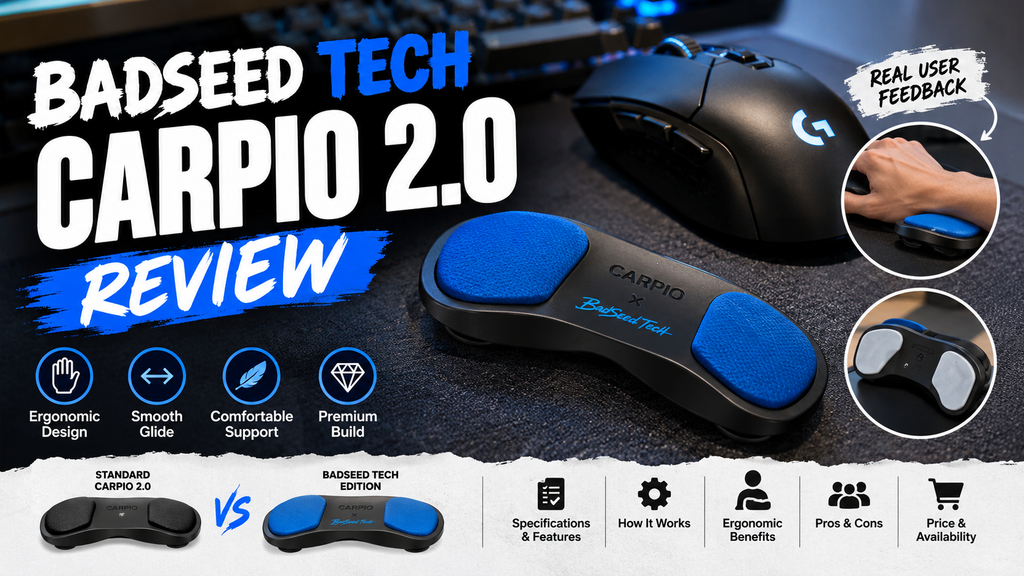
Original editorial review graphic. Product details should always be checked against the official listing before publication.
Ergonomics: What Independent Guidance Actually Says
It is important to separate a product’s marketing claims from broader ergonomic guidance. OSHA recommends positioning a mouse so the user can maintain a straight, neutral wrist posture and notes that a mouse pad with a wrist or palm rest can help promote neutral positioning. OSHA also stresses that mouse placement, desk height, chair position and reaching distance all matter together. In other words, a wrist support is only one part of a workstation setup.
You can read OSHA’s guidance here: Computer Workstations – Pointer/Mouse.
Mayo Clinic similarly advises keeping the wrist in a relaxed, middle position rather than bending it sharply up or down and recommends using a computer mouse that is easy to handle without straining the wrist. Mayo Clinic also notes that the evidence linking ordinary computer use to carpal tunnel syndrome is not simple or definitive. That is why an article about the Carpio should avoid claims that it can “cure,” “prevent” or “treat” carpal tunnel syndrome.
Independent health context: Mayo Clinic – Carpal tunnel syndrome symptoms, causes and prevention.
| Medical accuracy note The BadSeed Tech Carpio is an ergonomic accessory, not a substitute for diagnosis or treatment. Persistent numbness, tingling, weakness or pain that interferes with normal activities should be discussed with a qualified healthcare professional. |
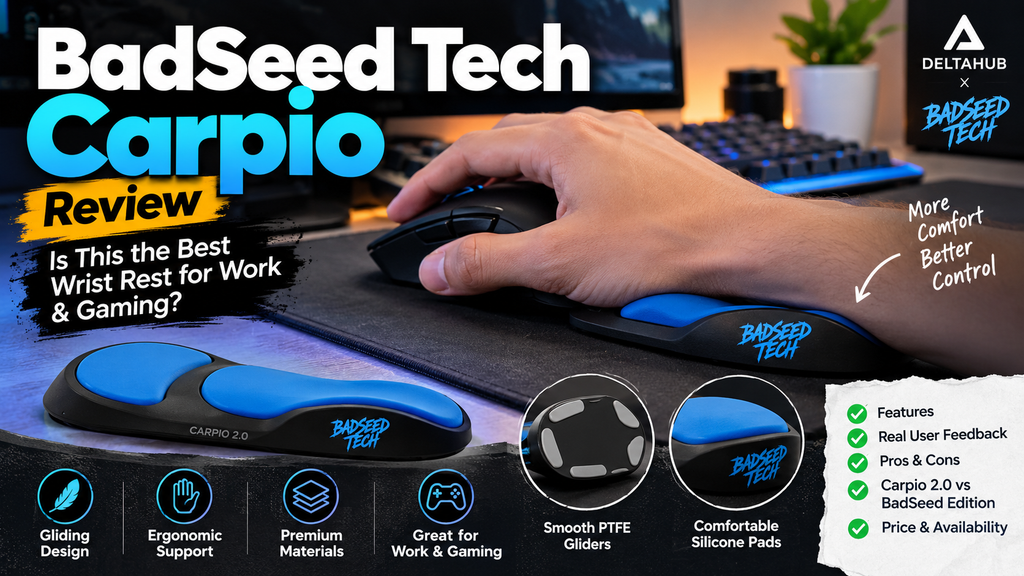
Editorial use illustration: the support is intended to sit under the lower palm while the mouse hand moves.
Build Quality, Materials and Everyday Feel
The official Carpio 2.0 information lists a plastic base, soft silicone contact pads and PTFE gliders. That combination makes sense for the product’s purpose: the base needs to stay rigid enough to spread pressure, the upper pads need to feel comfortable against the palm, and the underside needs to move with minimal drag. The BadSeed Tech edition keeps that functional layout and changes the appearance through the blue collaboration pads.
One advantage of the compact design is portability. It takes far less desk space than a full-width keyboard wrist rest and can be moved between a home setup, school or office desk, and a laptop workstation. The trade-off is that a small support depends heavily on correct placement. If the palm lands too far forward or backward, the benefit can feel inconsistent until the user develops a repeatable position.
BadSeed Tech Edition vs Standard Carpio 2.0
For most buyers, the most important question is whether the BadSeed edition performs differently from a standard Carpio 2.0. Based on the official information available, the underlying ergonomic concept is the same. The special edition is primarily about collaboration styling and replaceable pads rather than a new mechanism. That means the buying decision should start with whether the Carpio 2.0 concept fits your mouse habits; the BadSeed Tech design comes second.
| Area | Standard Carpio 2.0 | BadSeed Tech Edition |
| Core moving support | Carpio 2.0 concept | Carpio 2.0 concept |
| Gliding underside | PTFE/Teflon gliders | PTFE/Teflon gliders |
| Sizing | Small / Large | Small / Large |
| Hand orientation | Left / Right options | Left / Right options |
| Visual identity | Standard color choices | Black base with exclusive blue BadSeed Tech pads |
| Reason to choose | Function and preferred standard color | Same core function plus creator-collab styling |
What Is It Like for Gaming?
Gaming is one of the more interesting use cases because mouse movement can be wider and faster than ordinary office work. A gliding support can make sense for players who tend to keep the lower palm or wrist in contact with the desk while tracking. The PTFE underside is designed to move as the arm and hand move, so the support is not supposed to stay anchored like a traditional gel pad.
However, gaming technique varies dramatically. Low-sensitivity players may sweep the mouse across a large area and frequently lift or reposition it. Some users may like the sliding support; others may find that keeping the palm consistently aligned with it adds one more thing to think about. This is exactly where personal fit matters more than a universal “best” claim.
What Is It Like for Work and Productivity?
For productivity, the Carpio concept is most relevant when the user spends long blocks of time on the mouse: design work, spreadsheets, browsing, editing or general desktop use. The support can travel with the hand through small pointer movements without requiring the user to repeatedly pick up a separate wrist pad. Its small footprint also works well on desks where a large foam rest would take up too much room.
The biggest productivity drawback appears when a workflow involves constant switching between mouse and keyboard. Some Reddit users describe having to readjust their hand position when returning to the mouse. That does not make the product bad; it simply means the experience depends on how often you transition between input devices and how quickly you can relocate the support under your palm.
Real User Feedback: What Reddit Discussions Reveal
Community feedback is useful because it exposes the parts of a product that official pages naturally do not emphasize. The pattern across Reddit is mixed rather than uniformly positive, which is exactly what a trustworthy review should show.
In a 2026 r/MouseReview discussion, some users praised the glide and liked the idea of “mouse skates” under the wrist, while another user preferred an arm sleeve and found a wrist rest less natural when rapidly lifting and repositioning the mouse. That disagreement is useful because it highlights how strongly mouse technique affects comfort.
A separate 2026 r/logitech thread included both positive and negative experiences. One user liked the glide but disliked the need to reposition the support after moving from mouse to keyboard, while another described it as comfortable for home use. A different commenter said it did not work well for them. These are anecdotes, not clinical evidence, but they help set realistic expectations.
Older and longer-term Carpio discussions on r/MouseReview also show that some people adapt and continue using the product for years, while others question the price or sizing. The takeaway is not “Reddit approves” or “Reddit rejects” the Carpio; the takeaway is that fit and habit matter.
YouTube Research: Useful Visual References
Video is especially useful for this product because movement is hard to understand from still photos. Watching a hand actually glide across the desk makes the concept much clearer than reading a description.
Useful video references include an independent Carpio 2.0 review on YouTube and DeltaHub’s own “How to properly use your Carpio 2.0” video. The manufacturer video is most useful for intended placement and setup; independent videos are better for observing real desk use and personal reactions. Neither should be treated as medical evidence.
Pros and Cons
| Potential advantages | Potential drawbacks |
| ✓ Glides with the mouse hand instead of staying fixed | • Requires an adjustment period for some people |
| ✓ Compact and easy to move between desks | • May feel awkward if you switch between keyboard and mouse constantly |
| ✓ PTFE underside is designed for low-friction movement | • Comfort is highly individual and depends on mouse, posture and hand size |
| ✓ Small and large sizes with left/right options | • Premium pricing for a small mechanical accessory |
| ✓ Distinctive BadSeed Tech blue collaboration pads | • Not a medical treatment and should not be marketed as one |
| ✓ Can support a more neutral-feeling setup for some users when paired with good workstation positioning | • Can add another object that must stay aligned during fast mouse repositioning |
Who Is the BadSeed Tech Carpio Best Suited For?
There is no single “best for everyone” answer, but the product is easier to understand when you match it to specific habits.
- Long mouse sessions: People who spend extended periods browsing, editing, designing or working with a mouse may appreciate a support that moves with the hand.
- Compact setups: It is useful where a large foam rest would take up too much desk space.
- Users who dislike static wrist pads: The gliding concept offers a different feel from fixed gel or foam supports.
- Creator-collab collectors: If you already want a Carpio 2.0, the BadSeed Tech edition adds distinctive styling without changing the core idea.
- People willing to adjust: The design makes more sense for users who are prepared to experiment with placement, chair height and desk posture rather than expecting instant perfection.
Who May Want to Skip It?
- Frequent keyboard-mouse switchers: If your workflow changes input devices every few seconds, repeated realignment may become annoying.
- People expecting a medical fix: A wrist support cannot diagnose or treat the cause of pain, numbness or nerve symptoms.
- Users who dislike accessories under the palm: Some people simply prefer a bare mousepad, an ergonomic mouse or a different desk posture.
- Price-sensitive buyers: If your main goal is basic cushioning, a simpler support may cost much less, although it will not provide the same moving concept.
Price and Availability
At the time of this research on October 3, 2026, the official BadSeed Tech Edition product page displayed a $59.90 sale price and showed the item in stock. DeltaHub’s other pages can show “from” prices or promotional pricing, so a published article should always date-stamp the figure and link directly to the official listing. The same page states a 60-day money-back guarantee, subject to the company’s current terms and the condition of returned items.
Check current availability and pricing: DeltaHub – Carpio 2.0 BadSeed Tech Edition.
How to Use It More Effectively
The product works best as part of an ergonomic setup rather than as a standalone fix. The official Carpio guidance says to place the palm on the silicone pads without pressing down hard and to let the hand glide naturally. It also recommends adequate elbow support. Combining that with independent ergonomic guidance leads to a few practical principles:
- Keep the mouse close enough that you are not reaching forward or sideways for it.
- Adjust chair and desk height so the forearm can stay supported and the wrist is not sharply bent upward or downward.
- Place the lower palm on the Carpio pads rather than pressing the center of the wrist into the support.
- Give yourself a short adaptation period, but stop if the accessory causes new or worsening discomfort.
- Reassess the whole workstation – mouse shape, desk height, chair, arm support and movement habits – instead of expecting one accessory to solve every issue.
Frequently Asked Questions
Is BadSeed Tech Carpio different from the normal Carpio 2.0?
The core moving-support concept is the same Carpio 2.0 platform. The BadSeed Tech version primarily changes the collaboration styling and includes exclusive blue replaceable pads on the black base.
Does the BadSeed Tech Carpio prevent carpal tunnel syndrome?
It should not be described that way. Independent health guidance supports neutral wrist positioning and reducing unnecessary strain, but carpal tunnel syndrome has multiple possible risk factors and requires medical assessment when symptoms are significant. The Carpio is an ergonomic accessory, not a preventive guarantee or treatment.
Is it good for gaming?
It can suit gamers who like palm support that moves with the mouse, especially when the wrist would otherwise rub on the desk or pad. Fast mouse lifting and frequent repositioning can make it feel awkward for some users, so gaming suitability depends on technique and sensitivity settings.
Is it good for office work?
It can be useful for long mouse-heavy work sessions because it stays under the palm during pointer movement. Users who constantly move between mouse and keyboard may need to readjust it more often.
What size should I choose?
DeltaHub sells small and large versions and provides a size guide on the official product page. Because hand proportions vary, use the current official sizing instructions rather than choosing based only on height or general hand size.
Does it work on every mousepad?
PTFE gliders are intended to move across smooth desk and mouse surfaces, but friction varies by fabric, weave, surface wear and cleanliness. A surface that lets a PTFE-footed mouse glide smoothly is the most logical starting point.
Is the price worth it?
That depends on whether the moving support solves a real comfort or desk-setup problem for you. The design is more specialized than a basic foam pad, but some buyers may still see the price as high for a small mechanical accessory. The return policy can reduce the risk of trying it if the current terms apply to your market