

Let me be honest with you.
When I first started working with a remote team, I thought it would be easy. No office, no traffic, no long meetings in a cold conference room. Just open the laptop and work. Sounds perfect, right?
But after two weeks, I realized the truth. My inbox was full. Slack messages were coming every five minutes. One person was waiting for approval, another was asking for a file, and a third one had no idea what his task was for the day. We were all working, but we were not working together.
If you are managing a remote team in the USA in 2026, you probably know this feeling very well. Your team is talented, but the workflow is messy. That is exactly where AI workflow automation tools come in.
In this guide, I will share with you the best AI workflow automation tools for remote teams in USA, based on real use, real pros and cons, and what actually works for small and medium teams. No hype, no complicated tech talk. Just simple, honest advice like a friend would give you.
Table of Contents
What Is AI Workflow Automation, Really?
Forget the big technical words for a minute. Let me explain it in simple language.
Workflow automation means: When one thing happens, another thing happens automatically, without you doing it manually.
For example:
When a new client fills a form on your website, the tool automatically creates a task in Asana, sends a welcome email, notifies your team on Slack, and adds the client to your CRM. You did nothing. The system did it all.
Now add AI to it. AI does not just follow rules, it learns, it decides, and it suggests. It can read an email and decide if it is urgent. It can summarize a long meeting. It can assign a task to the right person based on their workload.
For a remote team, this is life-changing. Because when your team is in New York, Texas, California, and Florida, you cannot walk to someone’s desk and say, “Hey, did you do that?” You need a system that does that for you.
Why Remote Teams in the USA Struggle Without Automation
I have talked to many small business owners in the USA, and they all face the same 5 problems:
- Too Many Tools, No Connection
One team uses Gmail, another uses Slack, another uses Trello, and the boss uses Excel. Nothing is connected. Information gets lost. - Time Zone Confusion
Your designer is in California, your developer is in New York, and your client is in Chicago. When one person sleeps, the other is working. Tasks get delayed by one full day just because of a small approval. - Repetitive Boring Work
Copying data from one sheet to another, sending the same follow-up email 20 times, creating the same report every Monday. This boring work kills motivation. - No Visibility
As a manager, you keep asking, “What is the status of this project?” You do not know who is working on what. Team members also feel lost. - Slow Response Time
A customer sends a message at 9 PM. No one replies until next morning. In the USA, customers expect a fast reply. If you are slow, they go to your competitor.
AI workflow automation fixes all of these problems, not by hiring more people, but by making your current team 2x faster.
How AI Workflow Automation Helps a Remote Team
Let me show you with a real example.
Imagine you run a small marketing agency in Austin, Texas, with 8 remote members.
Before automation:
Your project manager spends 2 hours every morning just checking tasks, sending reminders, and updating sheets. Your designer waits for approval. Your content writer does not know the deadline changed. Everyone is stressed.
After automation:
At 9 AM, the AI tool sends everyone their tasks for the day automatically. When the designer finishes a design, the client gets an automatic preview link. When the client approves, the writer gets a notification to start the caption. The weekly report is created automatically on Friday at 5 PM.
You just saved 10 to 15 hours per week. That is almost 2 full working days.
This is not a dream. This is what thousands of US companies are already doing in 2026.
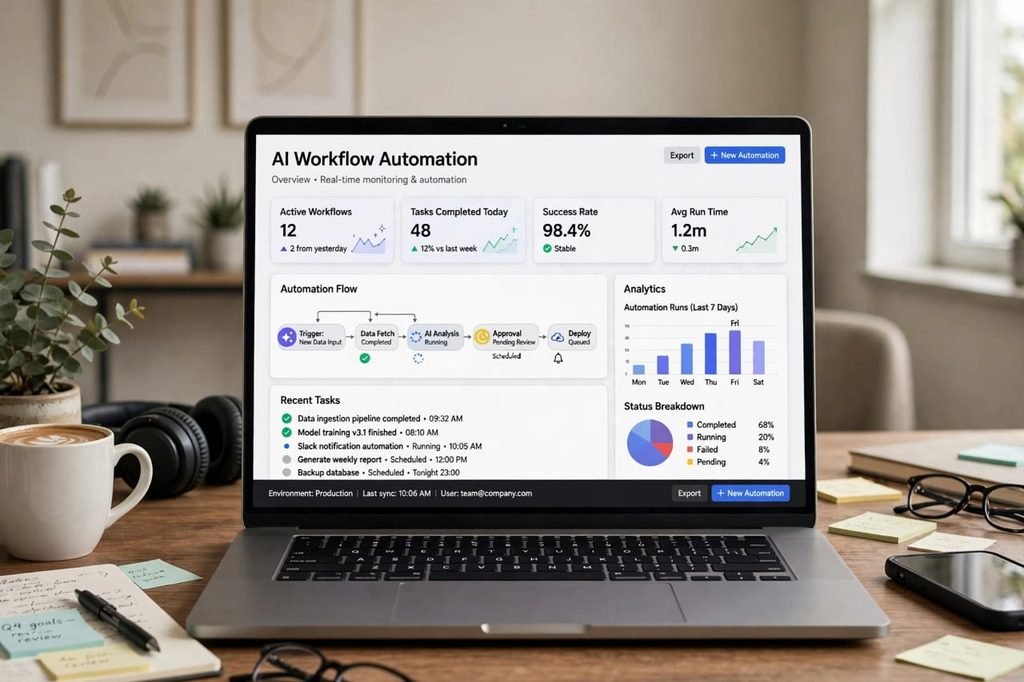
Top 7 AI Workflow Automation Tools for Remote Teams in USA
Now let us talk about the tools. I will not just list names. I will tell you who should use which tool, and why.
1. Zapier – Best for Beginners
If you are new to automation, start with Zapier. It is the simplest tool in this list.
Zapier connects more than 6,000 apps. You can say, “When I get a new lead in Facebook, add it to Google Sheets and send a Slack message.” It takes 5 minutes to set up, no coding needed.
Best for: Small teams, startups, freelancers in USA who want quick automation.
Price: Free plan available, paid starts around $19.99 per month.
What I like: Very easy, huge app library, great tutorials.
What I do not like: It can become expensive if you have many tasks. And for very complex workflows, it feels limited.
My honest opinion: If you have a team of 2 to 10 people, Zapier is perfect to start.
2. Make (Formerly Integromat) – Best for Visual Workflows
Make is like Zapier, but more powerful and more visual. You can actually see your workflow like a flowchart.
For example, you can see: Form > Filter > AI Summarizes > Send to 3 People > Save in Drive.
Best for: Teams who want to see and control every step.
Price: Free plan, paid starts around $9 per month, cheaper than Zapier.
What I like: Very affordable, beautiful visual builder, great for complex logic.
What I do not like: Beginners can feel a little confused at first. It takes 1-2 days to learn properly.
My honest opinion: If you want power and low price, Make is the best value in 2026.
3. Asana with AI – Best for Project Management
Asana is not just a task list anymore. In 2026, Asana has added strong AI features. It can auto-assign tasks, predict delays, and write project updates for you.
Imagine you have 20 projects running. Asana AI will tell you, “Hey, this project will be late by 2 days because John has too much work.” That is powerful.
Best for: Remote teams who live in projects, like agencies, software teams, content teams.
Price: Free for small teams, Premium around $10.99 per user per month.
What I like: Clean design, great for US teams, AI status updates save a lot of time.
What I do not like: If your team is very small, it can feel heavy. And some AI features are only in higher plans.
4. ClickUp – Best All-in-One Tool
ClickUp is my personal favorite for remote teams. Why? Because it tries to replace 5 tools in one. Tasks, docs, chat, goals, time tracking, and automation, all in one place.
You can create an automation like: When task status changes to Done, move it to Review, notify manager, and start a timer for the next task.
Best for: Teams in USA who are tired of paying for 5 different tools.
Price: Free plan is very generous, paid starts around $7 per user per month.
What I like: Everything in one place, highly customizable, great for remote work.
What I do not like: Because it has so many features, new users can feel overwhelmed. You need to spend time to set it up right.
My honest opinion: If you want one tool to rule them all, go for ClickUp.
5. Slack with AI + Workflow Builder – Best for Communication
Slack is not just for chatting anymore. In 2026, Slack has Workflow Builder and AI summaries.
Your remote team can have a workflow like: New employee joins > Slack automatically sends welcome message, creates a channel, shares training docs, and assigns a buddy.
Also, if you missed a 100-message discussion, Slack AI will summarize it in 5 lines. This is a lifesaver for remote teams.
Best for: Teams who already use Slack daily.
Price: Free, Pro around $8.75 per user per month.
What I like: Everyone already knows Slack, AI summaries are amazing.
What I do not like: It is not a full project management tool. You will still need Asana or ClickUp with it.
6. Notion AI – Best for Docs and Knowledge
Remote teams suffer from one big problem: “Where is that document?” Notion solves it.
Notion AI can write meeting notes, create SOPs, summarize long docs, and answer questions like, “What is our refund policy?” It searches your whole workspace and gives an answer.
Best for: Content teams, startups, small businesses who need docs and wikis.
Price: Free, Plus around $10 per user per month, AI add-on extra.
What I like: Beautiful, flexible, great for keeping all knowledge in one place.
What I do not like: Automation is not as strong as Zapier or Make. It is more for docs than for workflows.
7. Droven.io – Best for AI-Powered Business Automation
Now, let me talk about a tool that is getting very popular in the USA: Droven.io.
Droven.io is not just a connector. It is an AI automation platform built for businesses. It can automate sales, marketing, customer support, and internal workflows.
For remote teams, Droven.io is interesting because it combines AI agents + workflows. For example, an AI agent can reply to a customer, qualify a lead, and then pass it to your sales team with a full summary.
Best for: US businesses who want serious AI automation, not just small tasks.
Price: Custom pricing, free demo available.
What I like: Very powerful AI agents, good for scaling, focused on US businesses.
What I do not like: It is not for absolute beginners. You need a clear process first. And pricing is not as transparent as Zapier.
My honest opinion: If your team is growing fast and you want to automate full processes, not just small tasks, check Droven.io.

Comparison Table: Which Tool Should You Choose?
Here is a quick comparison to help you decide fast:
Tool Name | Best For | Starting Price | Ease of Use
Zapier | Beginners | $19.99/month | Very Easy
Make | Complex Workflows | $9/month | Medium
Asana AI | Project Management | $10.99/user | Easy
ClickUp | All-in-One | $7/user | Medium
Slack AI | Communication | $8.75/user | Very Easy
Notion AI | Docs and Knowledge | $10/user | Easy
Droven.io | Full Business AI | Custom | Advanced
If you are confused, here is my simple rule:
If you are just starting, use Zapier + Slack.
If you want one tool for everything, use ClickUp.
If you want to scale big, explore Droven.io and Make.
The Positive Side: What You Will Gain
Let us be positive for a moment, because the benefits are real.
- You Save 10-20 Hours Per Week
This is not marketing talk. When you automate reminders, reports, data entry, and follow-ups, your team gets their time back. They can focus on creative work, not copy-paste work. - Fewer Mistakes
Humans forget. Machines do not. If you automate, you will not forget to send an invoice, follow up with a lead, or remind a client. The system remembers for you. - Happier Team
No one likes boring repetitive work. When AI does the boring work, your team feels happier and more motivated. In remote work, motivation is everything. - Faster Customer Response
In the USA, speed wins. If a customer gets a reply in 2 minutes instead of 2 hours, they trust you more. AI automation makes this possible even when your team is sleeping. - Better Growth Without Hiring More People
Many small US businesses cannot afford to hire 5 more people. Automation lets you grow with the same team. You do more with less.
The Negative Side: What No One Tells You
Now, let me be honest about the negative side, because every honest guide should tell you this.
- Setup Takes Time
Automation is not magic. In the first week, you will spend 3-4 hours setting up workflows. Some people give up here. But if you cross this week, you will save time for months. - Too Much Automation Can Feel Robotic
If you automate every message, your customers will feel like they are talking to a robot. My advice: Automate the process, but keep the human touch in messages. Always add a personal line. - Cost Can Add Up
One tool is $10, another is $20, another is $15. If you buy 5 tools, it becomes $100+ per month. Start with 1-2 tools only. Do not buy everything at once. - Team Resistance
Some team members will say, “Old way was better.” This is normal. You need to train them and show them how automation makes their life easier, not harder. - Over-Dependence on One Tool
If Zapier goes down for 1 hour, your whole workflow stops. Always have a backup plan. Keep important data in Google Drive or Notion as well.
I am telling you these negatives not to scare you, but to prepare you. If you know these problems, you can avoid them.
How to Choose the Right Tool for Your Remote Team in USA
Do not just pick the most popular tool. Ask these 5 questions:
- What is our biggest pain? Is it communication, project tracking, or customer follow-up?
- How big is our team? A 5-person team needs a different tool than a 50-person team.
- What tools do we already use? Pick a tool that connects well with your current tools.
- What is our budget? Be honest. A $200 per month tool is useless if you cannot afford it for 6 months.
- Is our team tech-friendly? If your team is not technical, pick a simple tool like Zapier or Asana.
My personal method: Write down your top 3 repetitive tasks. Then find a tool that can automate those 3 tasks first. Do not try to automate everything on day one.
Step-by-Step: How to Set Up Automation in 7 Days
Here is a simple 7-day plan that works for any remote team in USA:
Day 1: List all repetitive tasks. Ask your team, “What do you do every day that is boring?”
Day 2: Pick ONE tool. Just one. I suggest Zapier or ClickUp for beginners.
Day 3: Automate ONE workflow. For example, new lead to Slack notification.
Day 4: Test it with your team. Ask for feedback. Fix mistakes.
Day 5: Automate a second workflow. For example, weekly report automation.
Day 6: Train your team with a 30-minute video call. Record it for future members.
Day 7: Review. Did it save time? What can be improved?
If you follow this, after one month you will have 4-5 workflows running smoothly.
Real Example: A Remote Team in USA That Saved 18 Hours a Week
Let me share a real-style example. Sarah runs a small e-commerce support team in Florida. Her team has 6 members, all remote, in 4 different states.
Before automation, they were drowning in emails and Shopify orders. Every order needed manual checking, manual email, manual sheet update.
Sarah set up Make for order automation, Slack for team alerts, ClickUp for task tracking.
Result after 30 days:
Order processing time went from 45 minutes to 8 minutes.
Customer reply time went from 6 hours to 22 minutes.
Team saved 18 hours per week.
Sarah did not hire anyone new. She just automated the boring parts.
This is the power of AI workflow automation.
Common Mistakes Remote Teams Make
Please avoid these mistakes:
Mistake 1: Automating a broken process. If your process is messy, automation will make it messier faster. First fix the process, then automate it.
Mistake 2: Automating everything at once. Start small.
Mistake 3: Not telling the team why. Your team needs to know automation is to help them, not to replace them.
Mistake 4: Forgetting security. In the USA, data privacy is serious. Use tools with SOC 2, GDPR, and good security. Do not share passwords in Slack.
Mistake 5: Never reviewing workflows. Every 3 months, check your automations. Delete old ones, update new ones.
Future of AI Workflow Automation in 2026 and 2027
In 2026 and 2027, automation will become even smarter.
AI agents will not just follow rules, they will make decisions. For example, an AI agent will see a customer complaint, check the order history, offer a solution, and inform the manager, all without human help.
Voice automation, video summaries, and smart scheduling will become normal for US remote teams.
The teams that learn automation now will be far ahead in 2027. The teams that ignore it will struggle to compete.
My advice: Start now, start small, but start.
Frequently Asked Questions (FAQs)
Q1. What is the best AI workflow automation tool for a small remote team in USA?
For a small team of 2 to 10 people, Zapier or ClickUp is best. They are easy, affordable, and you can set them up in one day. If you want more power at a low price, try Make.
Q2. How much does AI workflow automation cost?
You can start for free. Most tools have free plans. For a small team, expect $20 to $80 per month. For a growing team, it can be $100 to $300 per month. But if it saves you 15 hours per week, it pays for itself.
Q3. Do I need coding skills to use these tools?
No. Tools like Zapier, Asana, ClickUp, and Slack do not need coding. You can set up workflows with drag and drop. For advanced tools like Droven.io or Make, basic tech understanding helps, but you still do not need to be a programmer.
Q4. Will AI automation replace my remote team?
No. This is a big myth. AI replaces boring tasks, not people. Your team will still do creative work, customer relationships, and decision-making. Automation just removes the repetitive work so your team can focus on important work.
Q5. Which tool is best for remote teams working in different time zones?
ClickUp, Asana, and Slack are best for time zones because they have async updates, AI summaries, and automatic notifications. Your team in California can see what the New York team did, without a live meeting.
Q6. Is Droven.io good for remote teams in USA?
Yes, especially if your business is growing and you want full AI automation for sales, support, and operations. It is more advanced, so it is best for teams of 10 or more who have clear processes.
Q7. How long does it take to see results?
You will see small results in 1 week, and big results in 30 days. Most teams save 8 to 15 hours per week after the first month if they set up 3 to 4 workflows properly.
Final Thoughts: My Honest Advice For You
If you are reading this till the end, you are serious about improving your remote team. And I respect that.
Here is my final honest advice:
Do not wait for the perfect tool. There is no perfect tool. There is only the tool you actually use.
Pick one tool today. Automate one boring task today. Tomorrow, automate one more. After 30 days, you will look back and wonder, “How did we ever work without this?”
Remote work in the USA is not going away. It is growing. The winners will not be the teams who work the hardest, but the teams who work the smartest.
Automation helps you work smarter.
So, tell me in the comments: What is the one repetitive task that takes most of your team’s time? I will reply and suggest the best automation for it.
Thank you for reading. Share this guide with your team, and let us grow together.