
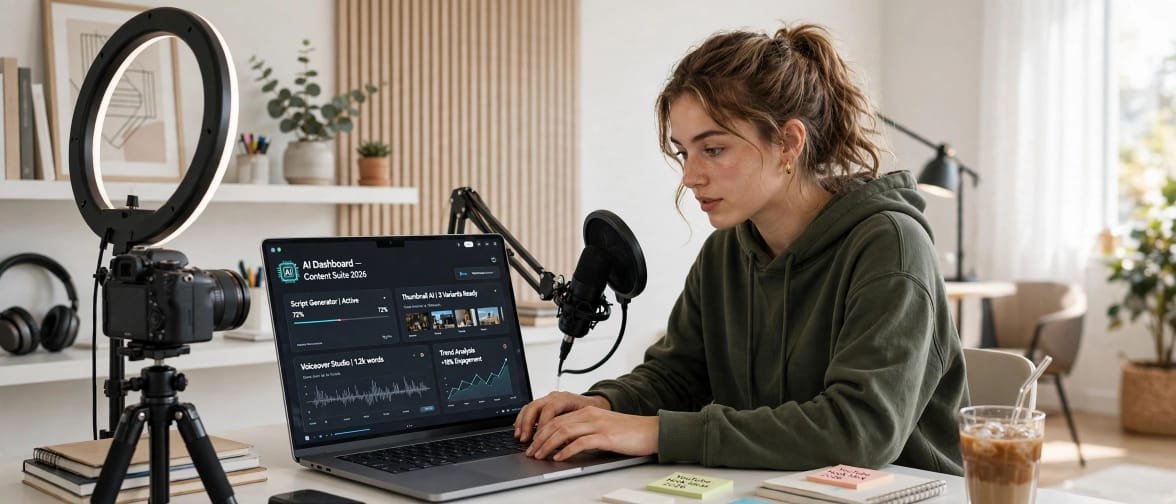
AI Tools for Content Creators in USA in 2026 are changing everything. If you are a content creator in the USA in 2026, you already know the truth. It is not just about talent anymore. It is about speed, consistency, and how smartly you work.
A few years ago, a YouTuber needed a scriptwriter, an editor, a thumbnail designer, and a social media manager. Today, one creator with the right AI tools can do all of that alone from a small room in Texas, California, or New York. That is the real change AI has brought.
But here is the honest part no one tells you. AI will not make you famous overnight. It will make your work faster and cleaner, but your ideas, your personality, and your consistency will still decide your success. AI is your assistant, not your replacement.
In this guide, we have tested and reviewed the top AI tools for content creators in the USA in 2026/27. We will talk about what is good, what is bad, what is free, and what is actually worth paying for. So you can build your own perfect toolkit without wasting money.
Table of Contents
Why AI Tools Are a Must for Creators in 2026/27
Let’s be real. The competition in the USA is brutal now. On YouTube, TikTok, Instagram, and blogs, thousands of new creators are joining every single day.
If you are still doing everything manually, you are already behind. A creator using AI can plan 30 videos in one afternoon. A creator without AI takes a whole week to do the same work.
Here is what AI actually helps you with:
- Idea Generation: You will never sit in front of a blank screen again.
- Script Writing: First draft in 5 minutes instead of 2 hours.
- Video Editing: Auto captions, auto cuts, auto B-roll.
- Design: Thumbnails, Instagram carousels, and logos in minutes.
- Repurposing: One long video becomes 10 Shorts, Reels, and Tweets.
In short, AI does not take your creativity away. It gives you more time to be creative.
But remember the negative side too. If you copy-paste 100% AI content, your audience will feel it. People in the USA love authentic, real, human stories. AI can help you write, but your voice must stay yours.
How We Selected These Tools
We did not just pick random popular names. We selected these tools based on 4 things that matter for US creators:
- Ease of Use: Can a beginner use it without a tutorial?
- Output Quality: Does it sound human or robotic?
- Pricing for US Creators: Is it affordable for a solo creator?
- Integration: Does it work with YouTube, TikTok, Instagram, and WordPress?
Now, let’s look at the best tools one by one.
1. ChatGPT – Best for Script Writing and Ideas
ChatGPT is still the number one tool for most creators in the USA, and for good reason. It is like having a smart assistant who never sleeps.
What It Is Best For:
YouTube scripts, blog outlines, Instagram captions, email newsletters, video titles, and brainstorming new content ideas.
Pros:
It is incredibly fast. You can get 20 video ideas in 30 seconds. It understands context very well. You can tell it, Write like a friendly American YouTuber, and it will do it. The free version is enough for beginners.
Cons:
Sometimes it gives generic, boring answers. If you use the same prompt as everyone else, your content will sound like everyone else. You must always edit and add your personal story. Also, it can sometimes give wrong facts, so you need to fact-check.
Pricing: Free plan available. Plus plan is $20 per month in the USA.
Our Verdict: Every creator must have it. Use it for first draft, not final draft.
2. Jasper AI – Best for Professional Bloggers and Copywriters
If ChatGPT is a general assistant, Jasper is a professional writer. It is specially made for marketing and long-form content.
What It Is Best For:
SEO blog posts, product descriptions, ad copy, and brand voice content.
Pros:
The quality is much better for long articles. It has templates for blogs, ads, and emails. You can train it in your own brand voice, so it does not sound like a robot. Many US agencies use it for client work.
Cons:
It is expensive for beginners. It has a learning curve. If you are just starting on TikTok, you do not need Jasper yet. It is overkill for short captions.
Pricing: Starts around $39 per month.
Our Verdict: Best for bloggers and freelancers who earn from writing.
3. Canva AI – Best for Thumbnails, Reels, and Design
You do not need to be a designer in 2026. Canva AI has changed the game for US creators.
What It Is Best For:
YouTube thumbnails, Instagram carousels, TikTok covers, logos, and presentations.
Pros:
It is super easy. You type, Make a thumbnail for a travel vlog in Miami, and it creates designs. It has Magic Write for captions and Magic Edit for photos. The free version is very powerful.
Cons:
Many creators use the same templates, so your design can look common. If you want a truly unique brand, you still need a real designer for your logo. Also, AI images sometimes look a little fake.
Pricing: Free plan available. Pro plan is $12.99 per month.
Our Verdict: If you are not using Canva, you are wasting time and money.
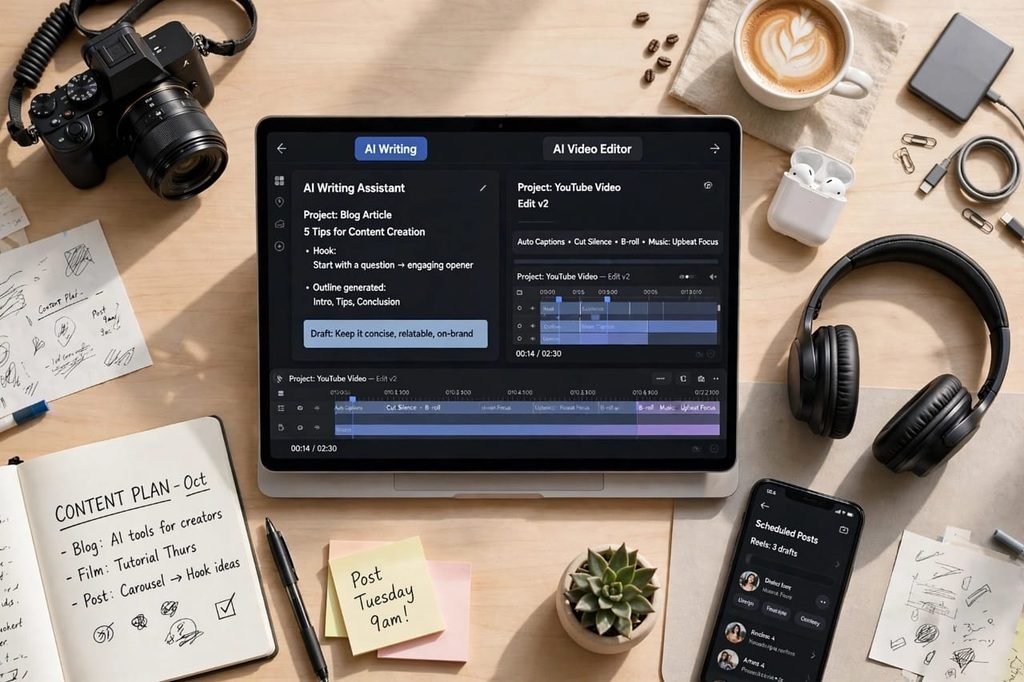
4. Descript – Best for Video and Podcast Editing
Descript is a magic tool for YouTubers and podcasters. It lets you edit video like you edit a Word document.
What It Is Best For:
YouTube videos, podcasts, removing filler words like umm and ahh, and adding captions.
Pros:
You just delete a word from the transcript, and it deletes it from the video. It saves 3 to 4 hours of editing per video. Its Studio Sound feature makes your voice sound like you recorded in a professional studio. It is a favorite of US podcasters.
Cons:
It can be slow for very long videos. The AI voice cloning feature is powerful, but it can feel unethical if used too much. Your audience wants your real voice.
Pricing: Free plan with 1 hour per month. Creator plan is $24 per month.
Our Verdict: Best investment for YouTubers and podcasters in 2026.
5. Opus Clip – Best for Turning Long Videos Into Shorts
In 2026, Shorts and Reels are where the growth is. Opus Clip turns one long YouTube video into 10 viral Shorts automatically.
What It Is Best For:
YouTube Shorts, TikTok, Instagram Reels.
Pros:
It finds the most viral moments from your video automatically. It adds captions, emojis, and B-roll by itself. Creators in the USA report 3x more views after using it. It saves you from watching your own 1-hour video again and again.
Cons:
Sometimes it picks the wrong clip. It does not understand humor or emotion perfectly. You still need to review and pick the best 2-3 clips yourself. The free plan has a watermark.
Pricing: Free plan available. Starter plan is $19 per month.
Our Verdict: Must-have if you want to grow on Shorts and TikTok.
6. Runway – Best for AI Video Effects and B-Roll
Runway is for creators who want Hollywood-level video effects without a Hollywood budget.
What It Is Best For:
AI B-roll, background removal, green screen without green screen, and AI video generation.
Pros:
You can create amazing B-roll from just text. You can remove any object from your video in one click. US creators use it for product videos, music videos, and cinematic vlogs.
Cons:
It needs a good computer and good internet. It is not for beginners. The output can sometimes look artificial, and rendering takes time. It is also a bit pricey if you use it daily.
Pricing: Free plan with limited credits. Standard plan is $15 per month.
Our Verdict: Best for advanced video creators who love visual storytelling.
7. Notion AI – Best for Content Planning and Organization
Great creators are not just creative, they are organized. Notion AI is your second brain.
What It Is Best For:
Content calendar, idea bank, script planning, team collaboration, and note-taking.
Pros:
You can plan your whole month in one place. AI can summarize your meeting notes and turn messy ideas into a clean content plan. It is perfect for creators who work with a small team in the USA.
Cons:
It can be confusing at first. Too many features can distract you. If you are a solo creator with just 2 videos per week, a simple Google Doc is enough.
Pricing: Free plan available. Plus with AI is $10 per user per month.
Our Verdict: Best for creators who post 4+ times a week and need a system.
8. Grammarly – Best for Error-Free Writing
Even if English is your first language, Grammarly saves you from embarrassing mistakes.
What It Is Best For:
Blog posts, YouTube descriptions, emails, and social media captions.
Pros:
It fixes grammar, spelling, and tone in real-time. The new AI feature rewrites your sentence to sound more friendly or professional. US brands expect clean English, and Grammarly helps you deliver that.
Cons:
Sometimes it makes your writing too formal. It can kill your personal style if you accept every suggestion. It is a helper, not a boss.
Pricing: Free plan available. Premium is $12 per month.
Our Verdict: Every creator who writes in English should have it.
9. Midjourney – Best for Unique AI Art and Thumbnails
Midjourney creates stunning AI images that look like real art. Many US creators use it for thumbnails and channel art.
What It Is Best For:
YouTube thumbnails, book covers, blog featured images, and concept art.
Pros:
The image quality is the best in the market. No other tool makes such realistic and artistic images. You can create a unique style that no one else has.
Cons:
It only works on Discord, which is confusing for beginners. It has no free plan now. You need to learn prompts to get good results. Also, copyright of AI images is still a grey area in the USA.
Pricing: Starts at $10 per month.
Our Verdict: Best for visual creators who want to stand out.
10. ElevenLabs – Best for AI Voiceover and Dubbing
ElevenLabs is the most realistic AI voice tool in 2026. It can clone your voice or create a new one.
What It Is Best For:
Faceless YouTube channels, voiceovers, audiobooks, and translating your video into Spanish or other languages.
Pros:
The voice sounds 95% human. You can make videos in English and then dub them in Spanish for a bigger audience in the USA. It is a game-changer for faceless channels.
Cons:
This is the biggest ethical issue. If you use AI voice for everything, your audience may lose trust. YouTube is also becoming strict about fully AI-generated channels. Use it to support your content, not to fake it.
Pricing: Free plan with 10 minutes per month. Starter plan is $5 per month.
Our Verdict: Powerful tool, but use it honestly and carefully.
Quick Comparison Table for US Creators
Tool Name – Best For – Free Plan? – Starting Price
ChatGPT – Scripts and Ideas – Yes – $20/month
Jasper AI – Blogging – No – $39/month
Canva AI – Design – Yes – $12.99/month
Descript – Video Editing – Yes – $24/month
Opus Clip – Shorts – Yes – $19/month
Runway – Video Effects – Yes – $15/month
Notion AI – Planning – Yes – $10/month
Grammarly – Writing – Yes – $12/month
Midjourney – Images – No – $10/month
ElevenLabs – Voiceover – Yes – $5/month
This table will help you decide quickly. If you are on a tight budget, start with the free plans first.
How to Choose the Right AI Tools for You?
Do not buy all 10 tools at once. That is the biggest mistake new creators make. They spend $200 per month on tools and earn $0.
Follow this simple formula based on your platform:
If You Are a YouTuber: ChatGPT + Descript + Opus Clip + Canva AI
If You Are a Blogger: ChatGPT + Jasper AI + Grammarly + Canva AI
If You Are a TikTok Creator: ChatGPT + Opus Clip + Canva AI + ElevenLabs
If You Are a Podcaster: Descript + Notion AI + ElevenLabs
Start with 2-3 tools. Master them. When you start earning, add more.
The Pros and Cons of Using AI as a Creator
Let’s be 100% honest here.
The Positive Side:
AI saves time. AI saves money. AI helps you stay consistent. You can post 5 times a week instead of 1 time. You can compete with big teams even if you are alone.
The Negative Side:
AI can make you lazy. If you stop thinking and just copy AI, your content will become boring. AI can also make mistakes. It can give wrong information. It can also create the same content for thousands of people, so you lose uniqueness.
The Solution: Use the 70-30 Rule.
70% Your Ideas, Your Story, Your Experience.
30% AI Help for Draft, Edit, and Design.
This is how top US creators are winning in 2026/27. They use AI, but they do not let AI use them.
Common Mistakes to Avoid in 2026/27
- Posting 100% AI Content: Google and YouTube can now detect it. Your reach will drop.
- Ignoring Your Audience: AI does not know your audience. You do. Always reply to comments yourself.
- Buying Too Many Tools: Start free, then upgrade only when you need it.
- Not Fact-Checking: AI can hallucinate. Always check facts, prices, and dates before publishing.
What Is Next for AI Creators in 2027?
In 2027, AI will become even more personal. We will see AI tools that edit your video in your exact style automatically. AI will translate your videos in real-time. AI will help you find brand deals.
But one thing will never change. People will always follow people, not robots. The creators who win in 2027 will be those who use AI to show more of their real human side, not less.
Frequently Asked Questions
Q: What is the best free AI tool for content creators in the USA?
A: ChatGPT free version and Canva AI free version are the best to start. They cover writing and design for free.
Q: Can I make money using AI tools as a creator?
A: Yes, but AI alone will not make you money. You make money by building trust, posting consistently, and solving a problem for your audience. AI just helps you do it faster.
Q: Is it legal to use AI content on YouTube and Google in 2026?
A: Yes, it is legal if you add your own value and do not just copy-paste. YouTube and Google want original, helpful content. AI-assisted content is allowed, fully AI spam is not.
Q: Which AI tool is best for YouTube Shorts in 2026?
A: Opus Clip is currently the best for Shorts. It finds viral moments and adds captions automatically.
Q: Which AI tool is best for beginners in the USA?
A: Start with ChatGPT, Canva AI, and Grammarly. These three are free, easy, and cover 80% of your work.
Q: Do I need to pay for all AI tools to grow?
A: No. Do not buy all tools. Start with free plans. Upgrade only when you start earning from your content.
Final Thoughts: Should You Use AI Tools?
Yes, absolutely. In 2026/27, if you are a content creator in the USA and you are not using AI, you are working twice as hard for half the results.
But remember this: AI is your team member, not your boss. Use it to write faster, edit faster, and design faster. But keep your story, your voice, and your honesty 100% human.
Start today. Pick 2 tools from this list. Make one piece of content with them. See how much time you save. Then keep going.
Your audience is waiting for your next video, your next blog, your next post. Don’t let them wait too long.
Which AI tool is your favorite? Let us know in the comments below.
[…] own AI called Microsoft Copilot. It works directly inside MS Project. But you can also use other AI tools like ChatGPT, ClickUp AI, Motion, and Taskade with MS Project. We will talk about all of […]